See where you left the strategy
A strip right in the replayer list says whether each hand was played in the strategy or outside it. Open the review, and its first line names the base strategy and what it plays in this spot.
Learn more →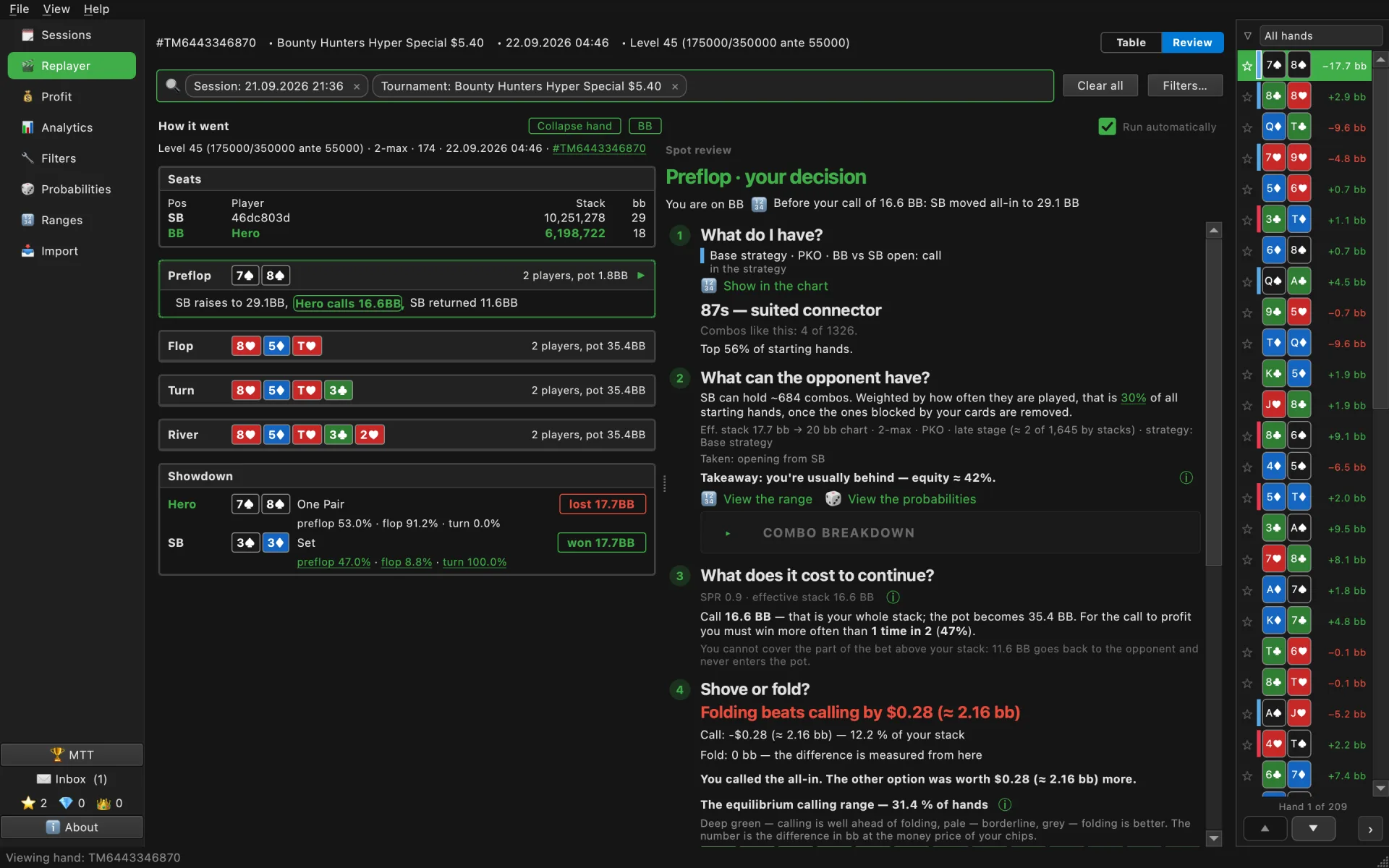

Track your real profit, explore your hand database, learn from your own hands and fix one leak at a time. No HUD. No account. Your hands never leave your computer.
Version 0.18.2 · macOS 13+ (Apple Silicon) · Windows 10+ · Installation guide: macOS · Windows
Hand histories and tournament summaries for the last 90 days, straight from the GG client.
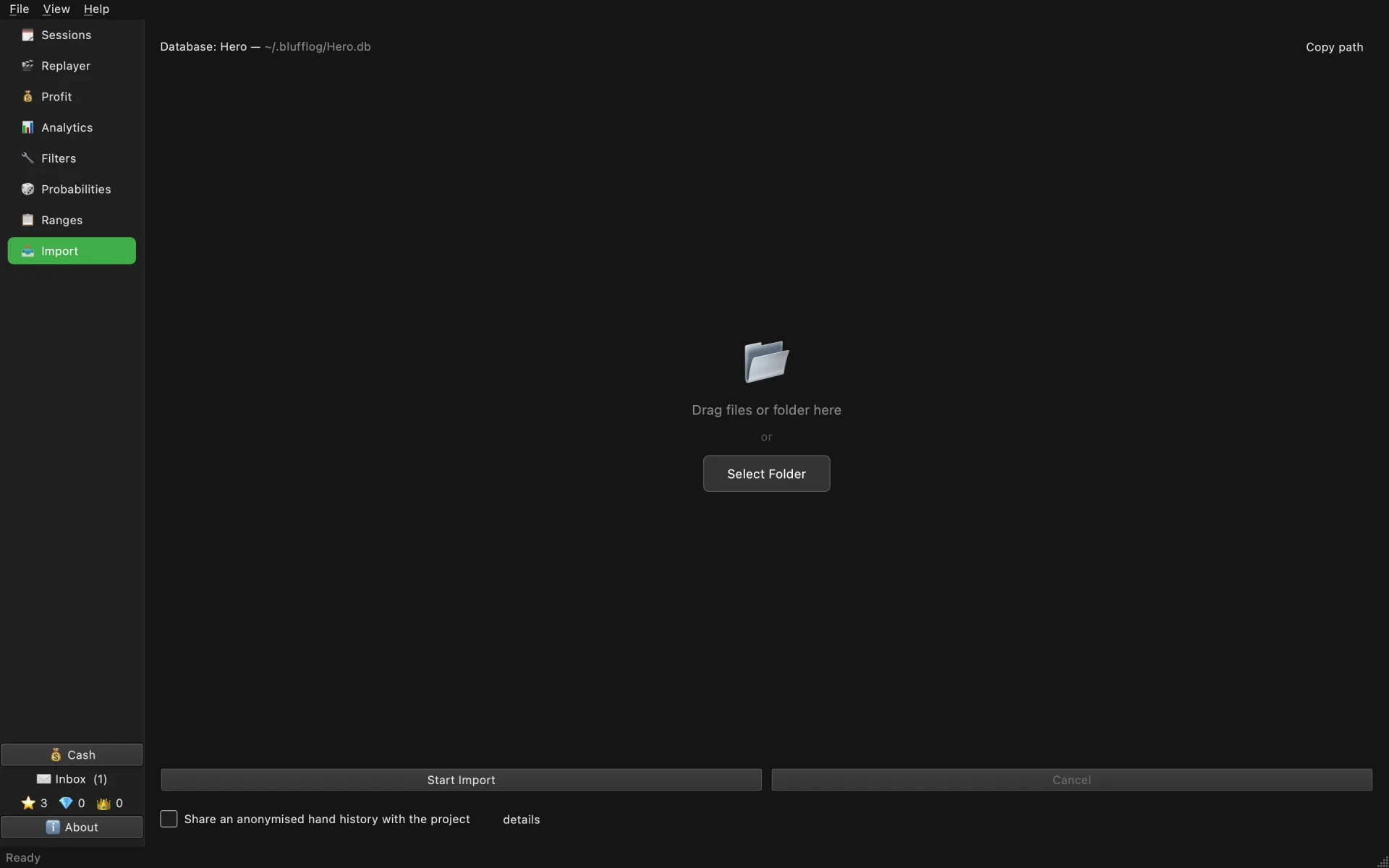
No converters, no setup. Drag the archive into the window; import takes seconds and reports what it found.
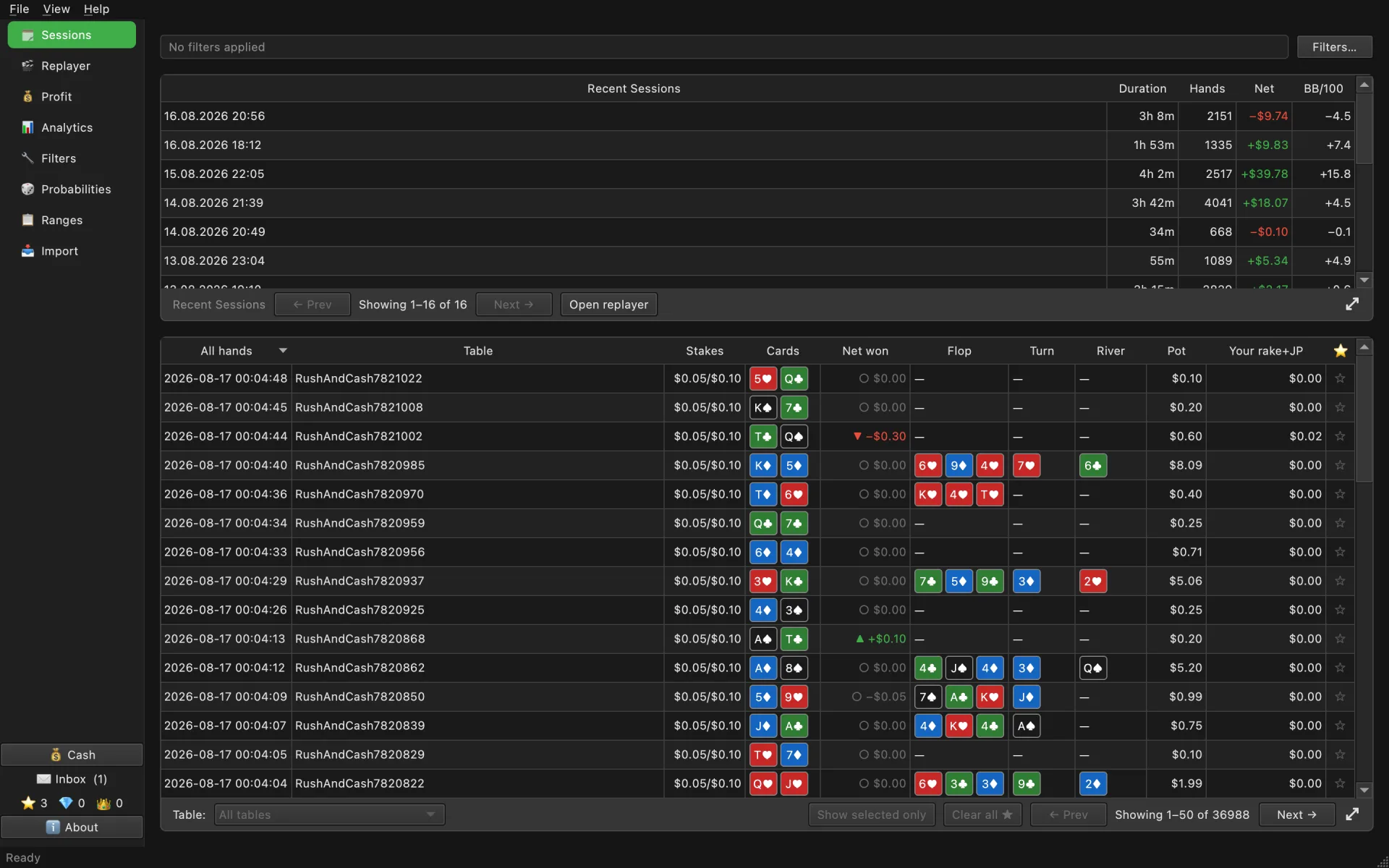
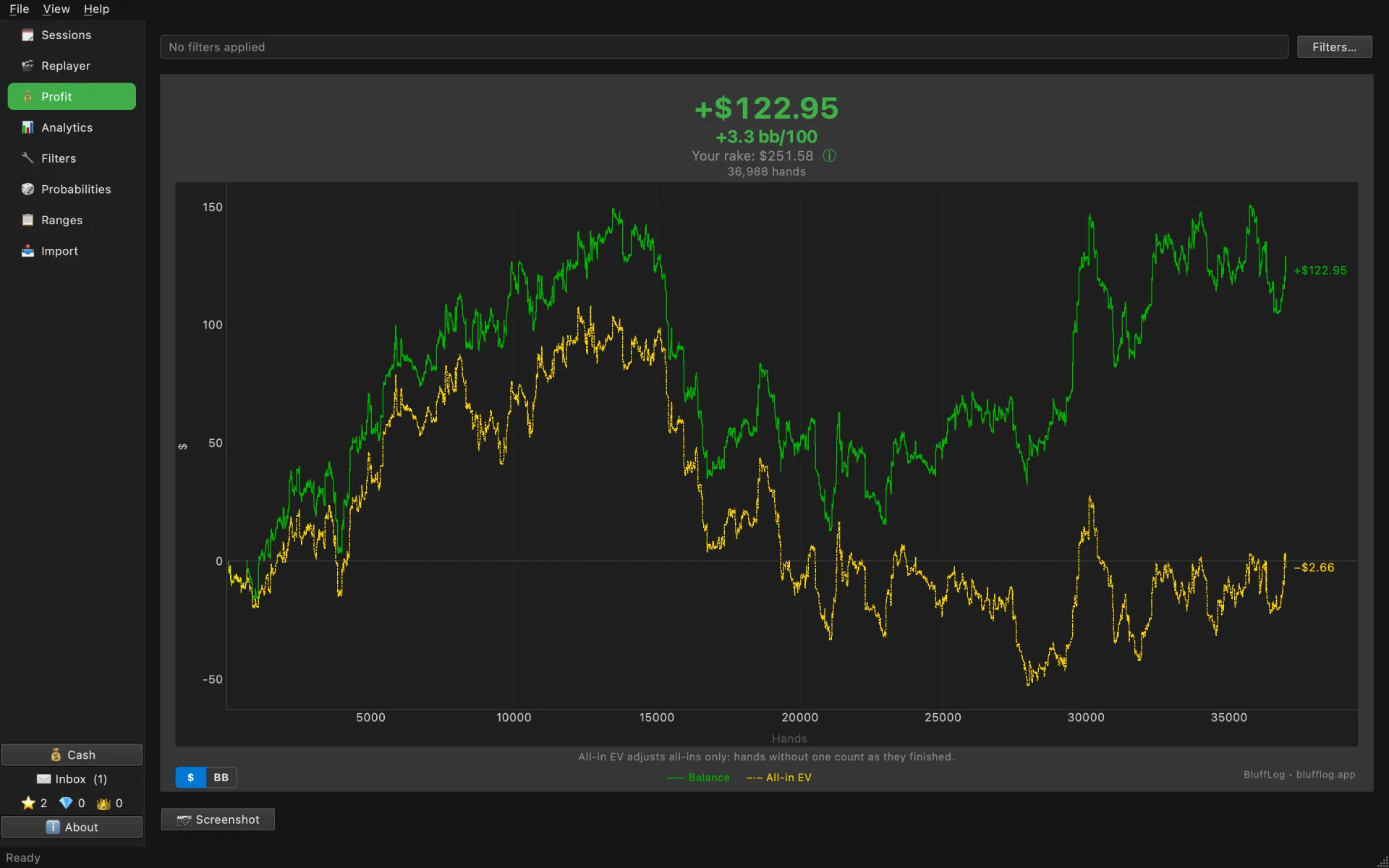
Sessions, profit with rake included, graphs. Everything stays on your computer, forever.
What BluffLog now shows about your tournament hands, on one set of real frames: a PKO Hyper, the hand you busted on and the ones around it.
A strip right in the replayer list says whether each hand was played in the strategy or outside it. Open the review, and its first line names the base strategy and what it plays in this spot.
Learn more → At an all-in the review works out which decision earns more, in dollars and in big blinds, with the payouts and the opponents' bounties counted. A grid shows how much calling beats folding for every one of the 169 starting hands.
Learn more →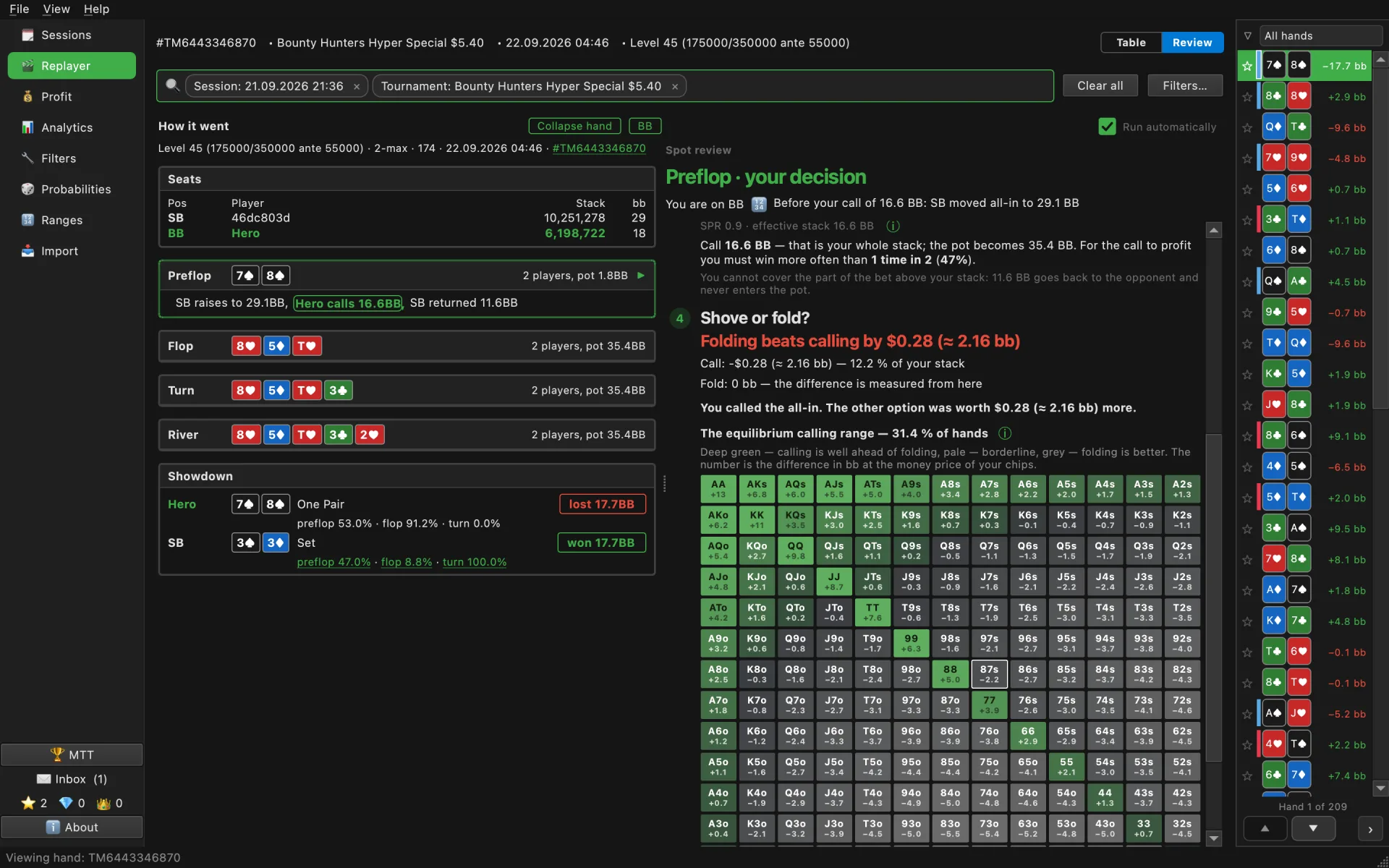
The tournament chart draws three lines: your actual result, all-in EV in chips and money EV with bounties. The line under it tells you what your all-ins should have earned in dollars and what they did earn.
Learn more →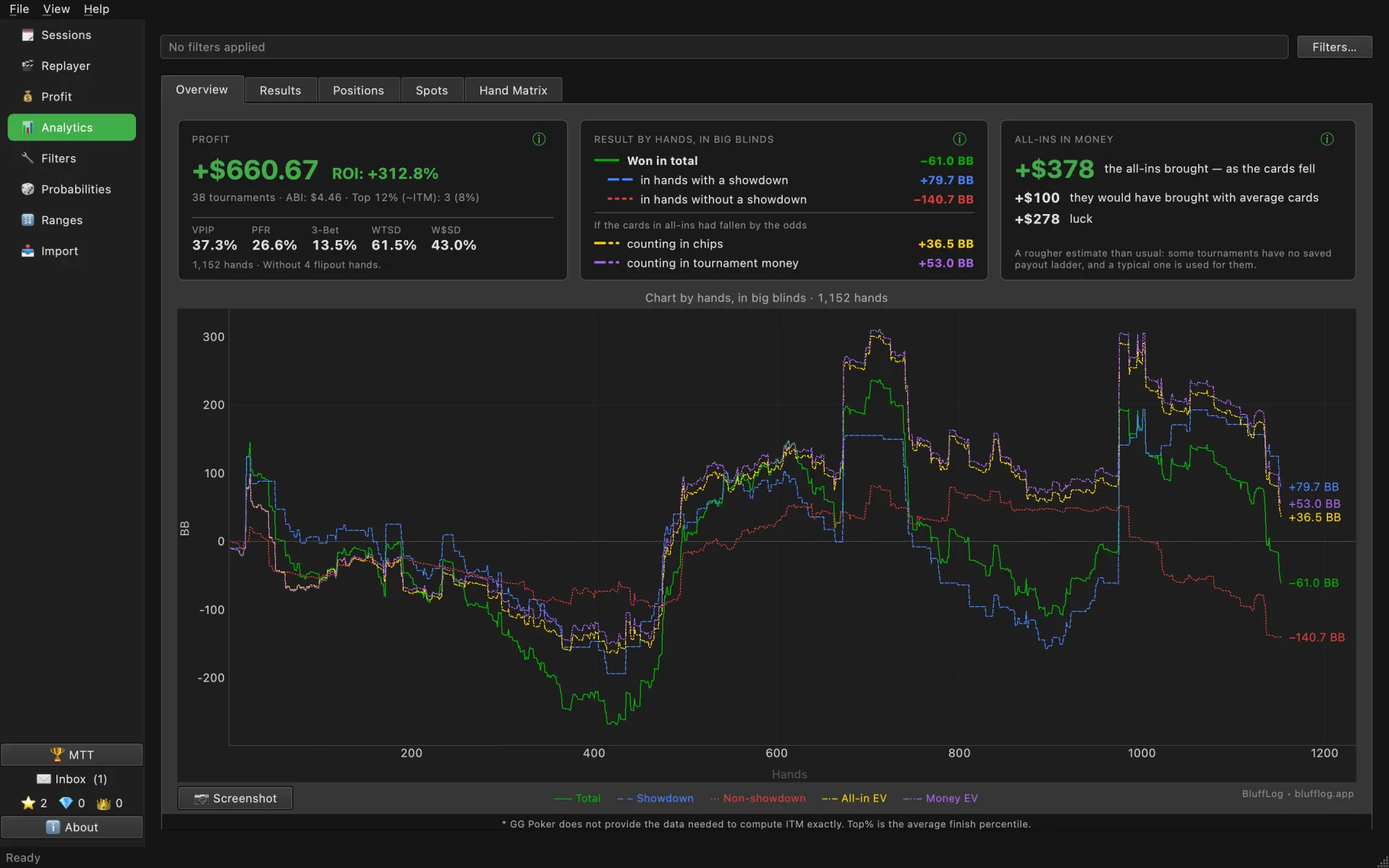
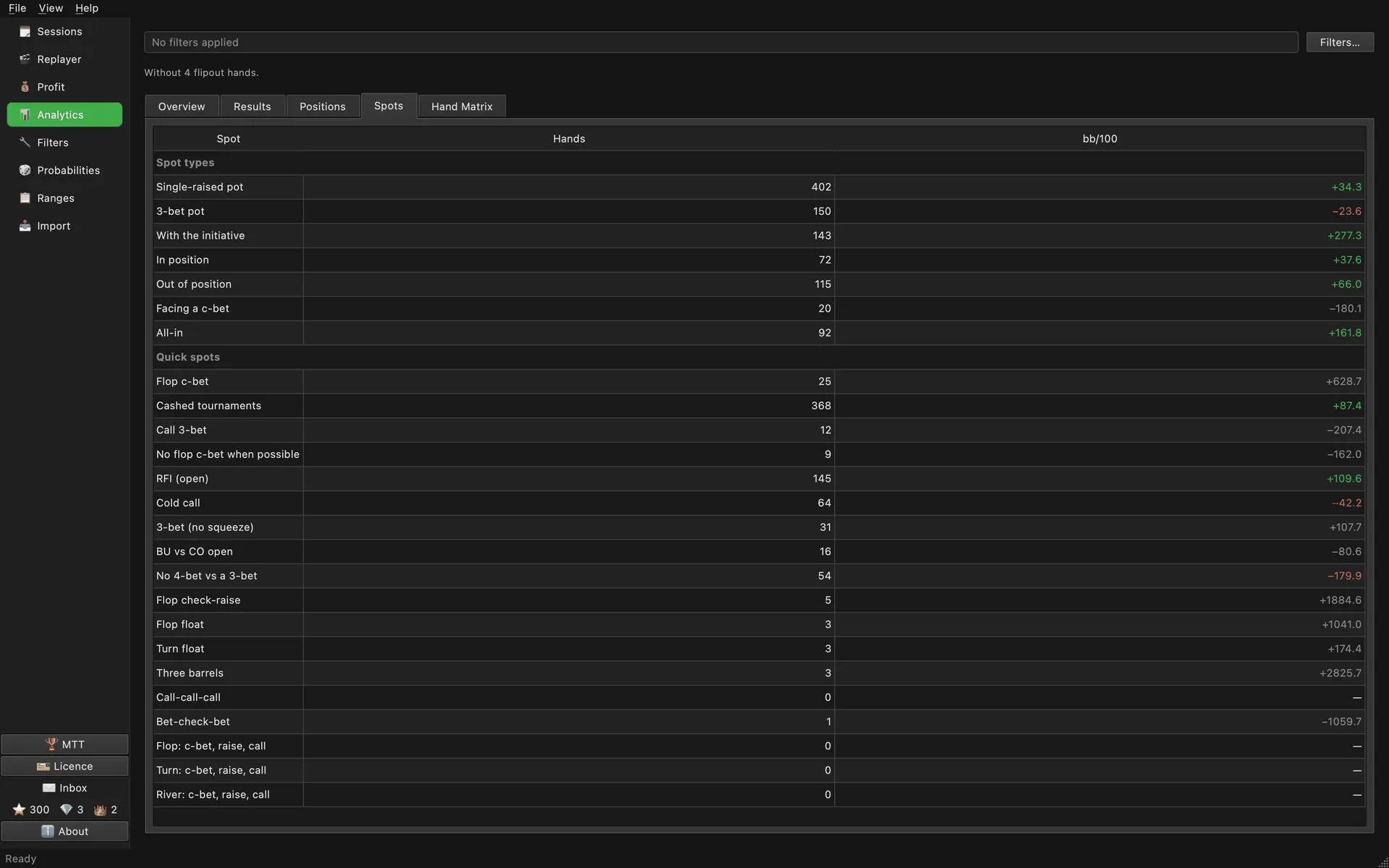
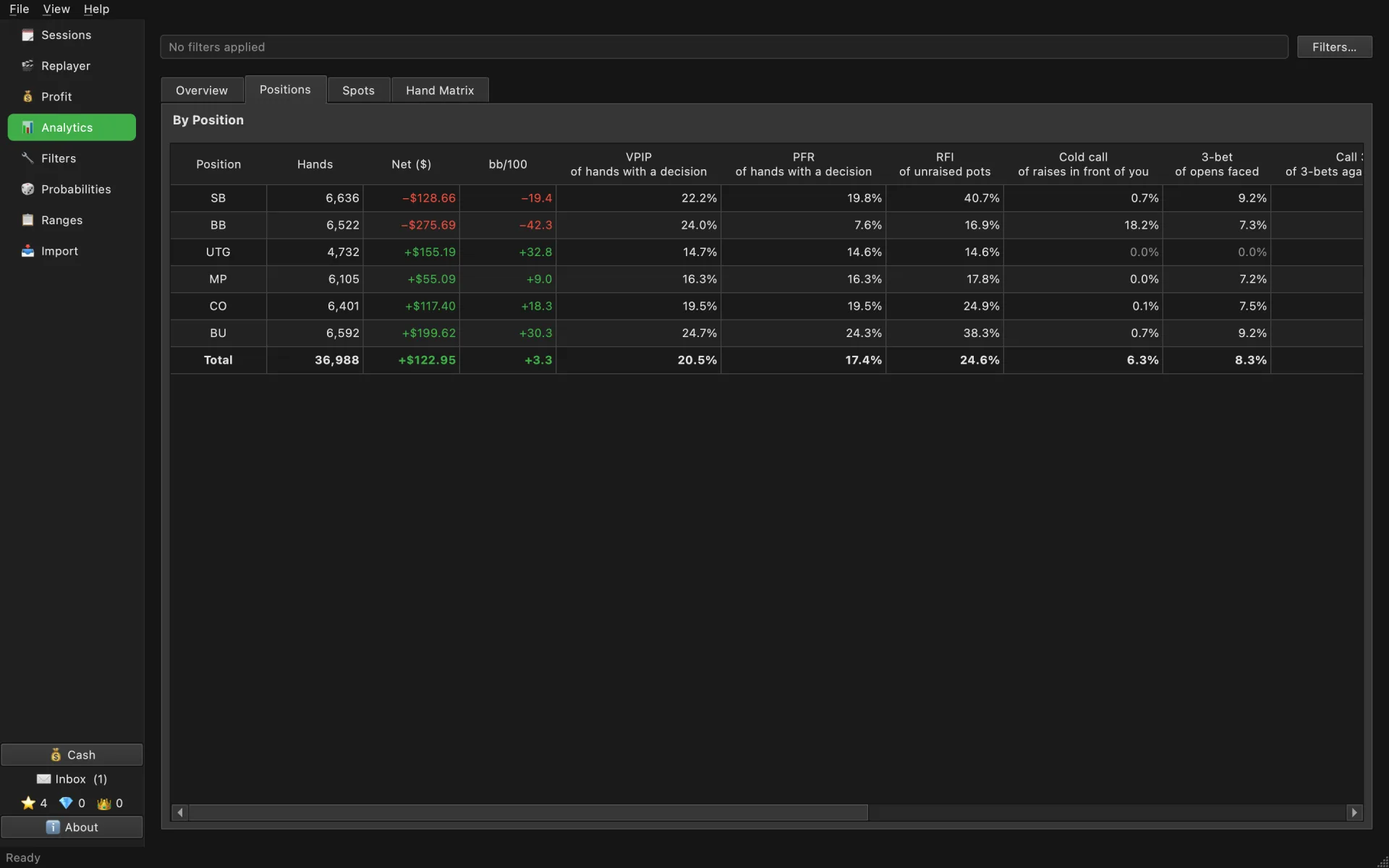
Positions show bb/100, VPIP, PFR, RFI and 3-bet for every seat at the table. The Spots tab gives your winrate by spot type and by every quick spot, and a click on a row opens exactly those hands.
Learn more →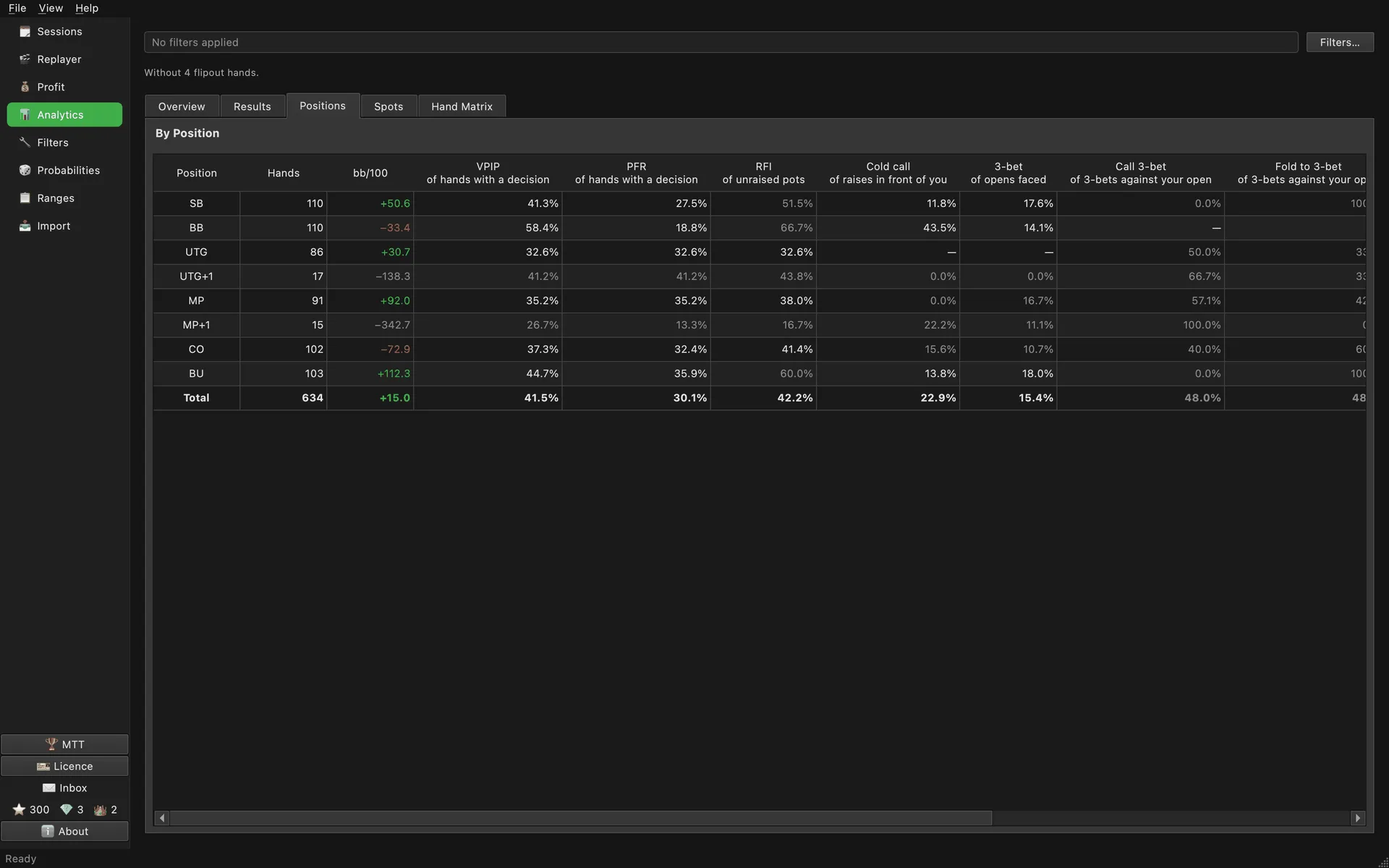
The base strategy now has PKO charts by stack depth for every position. When you review a hand from a bounty tournament, its ranges come from them.
Learn more →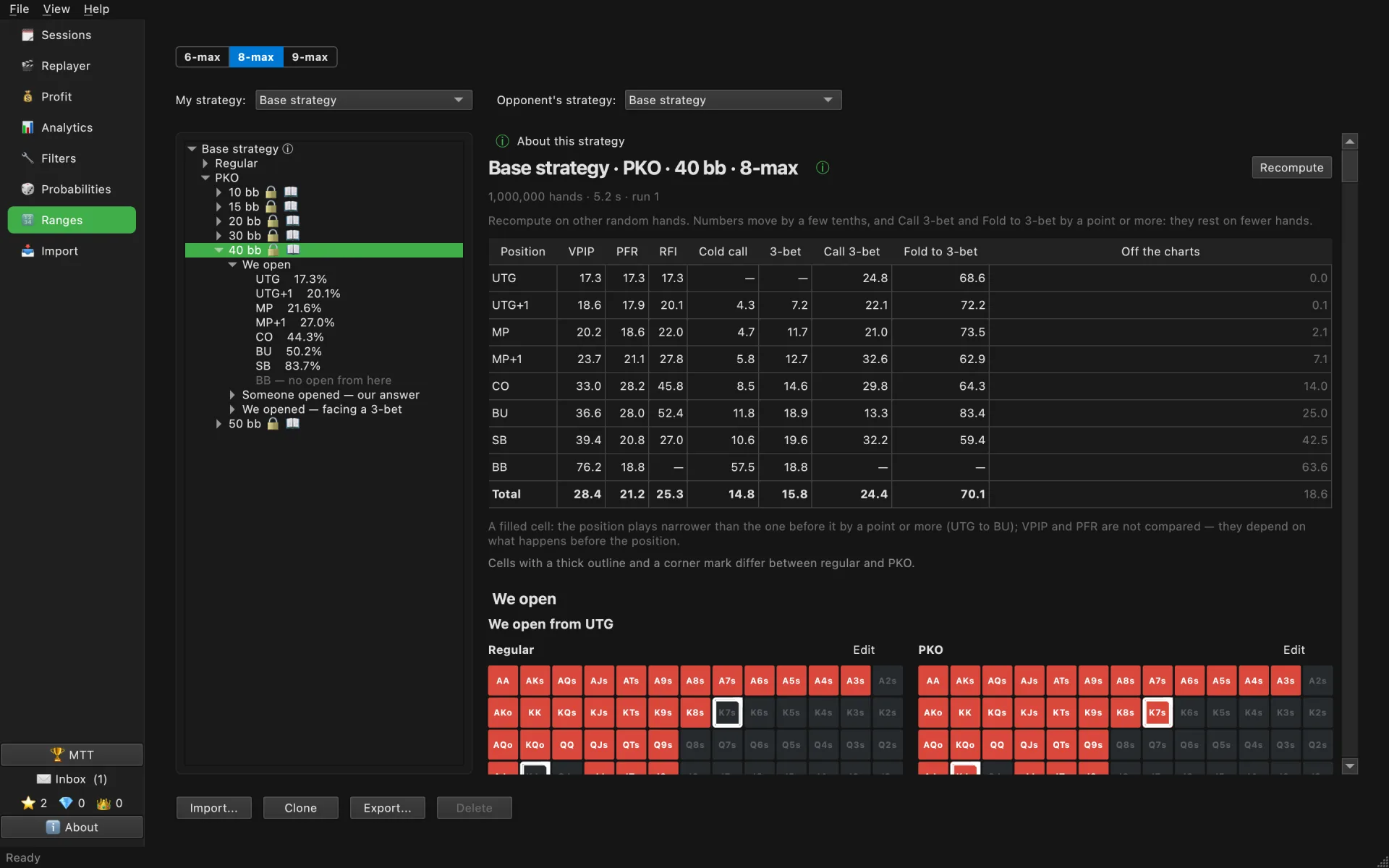
Quick spots are a set put together by a working coach: RFI, cold call, 3-bet, c-bet, floats and more. One click sets a spot's filters, and you can save your own sets next to them.
Learn more →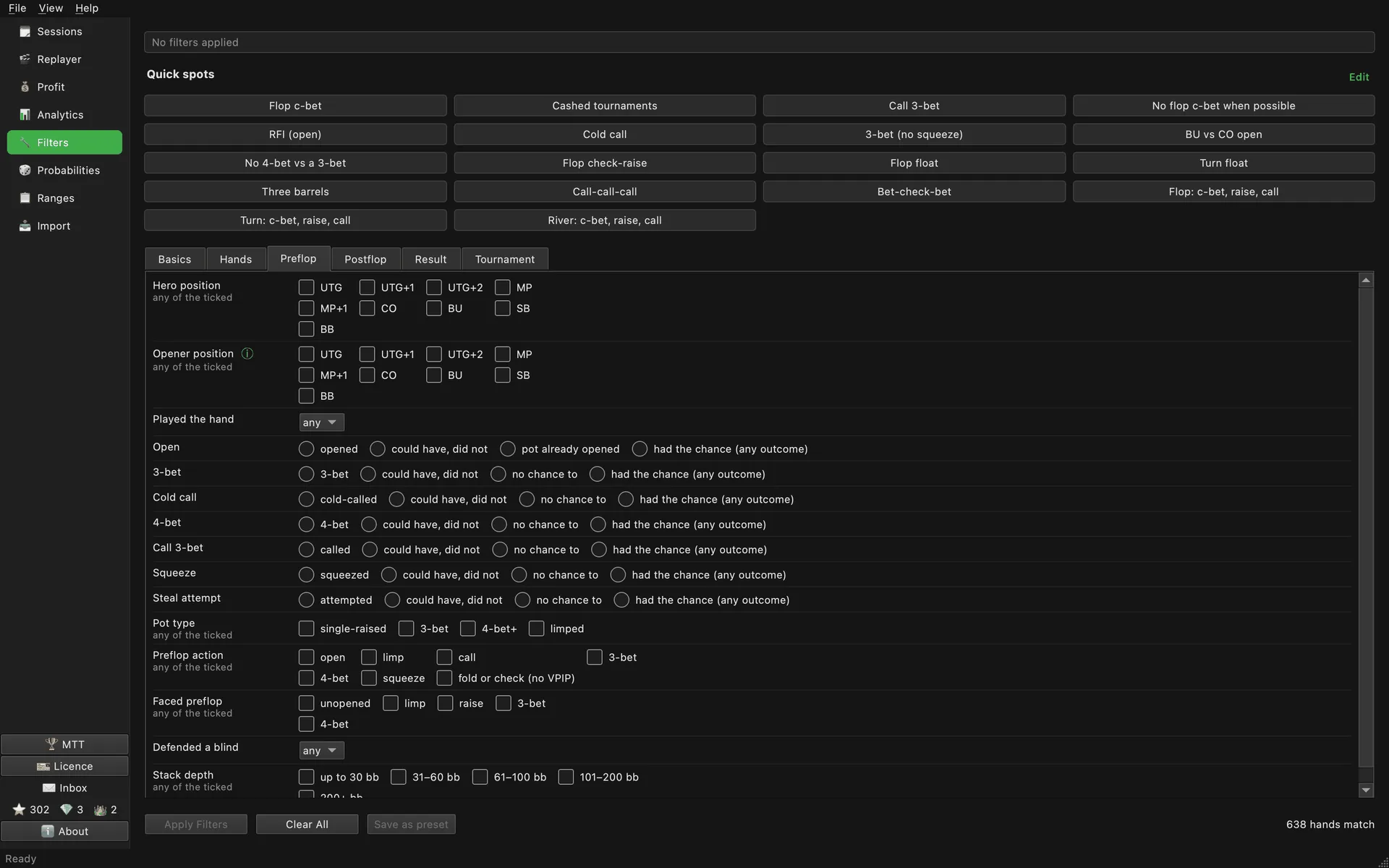
PokerCraft shows the pots you took. BluffLog shows what you kept: every session with the rake it cost, balance and all-in EV on one graph, and tournament results that PokerCraft does not compute.
Free forever. No account, no hand limit.
How to read these screens: cash guide · MTT guide
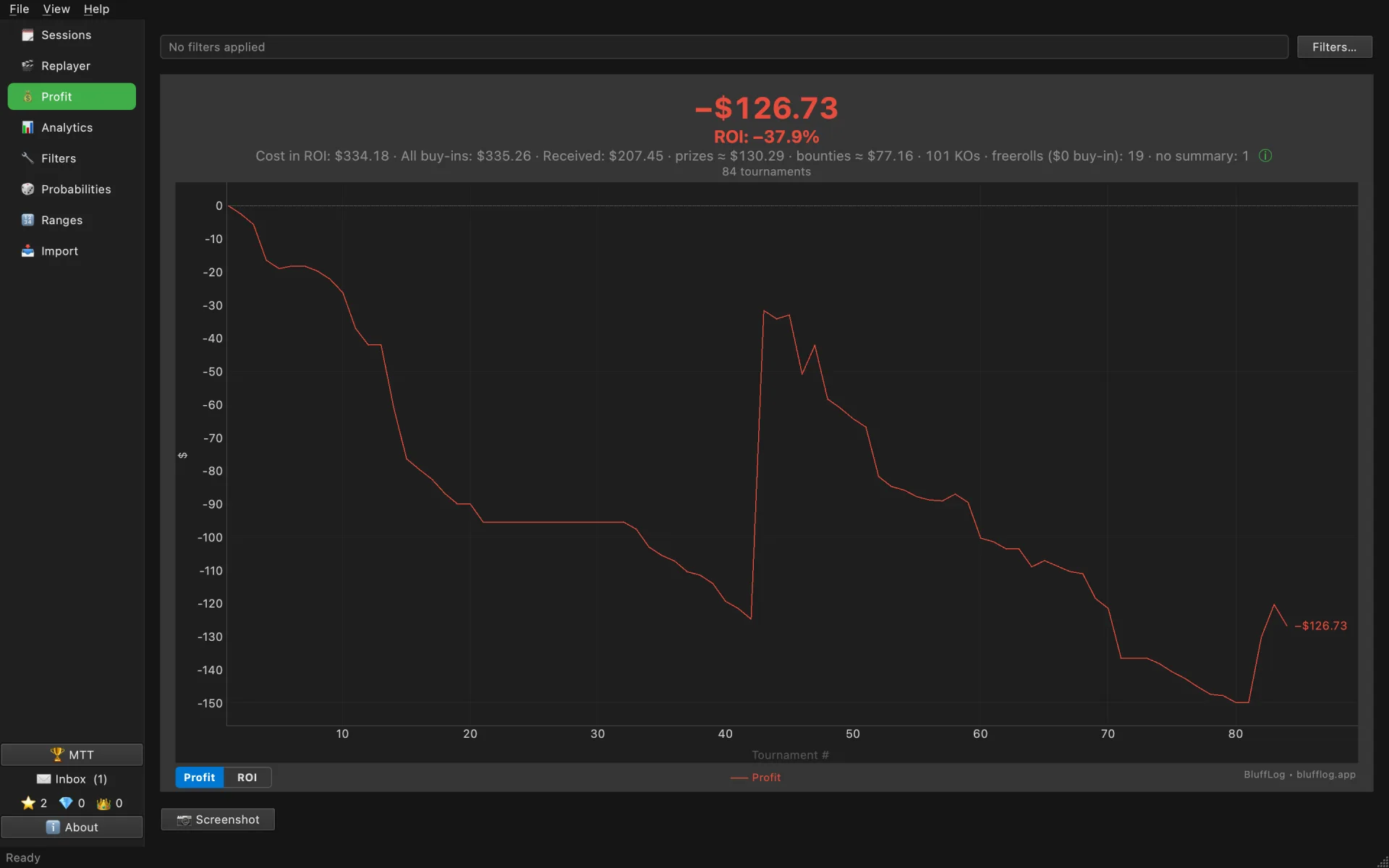
Winrate and preflop stats for every seat at the table, and your winrate by spot type and by every quick spot. Filters in poker terms, not database terms: a 13×13 grid for hands, pot type, spot, stack depth, showdown.
Which position loses and why the red line points down: Cash game analysis →
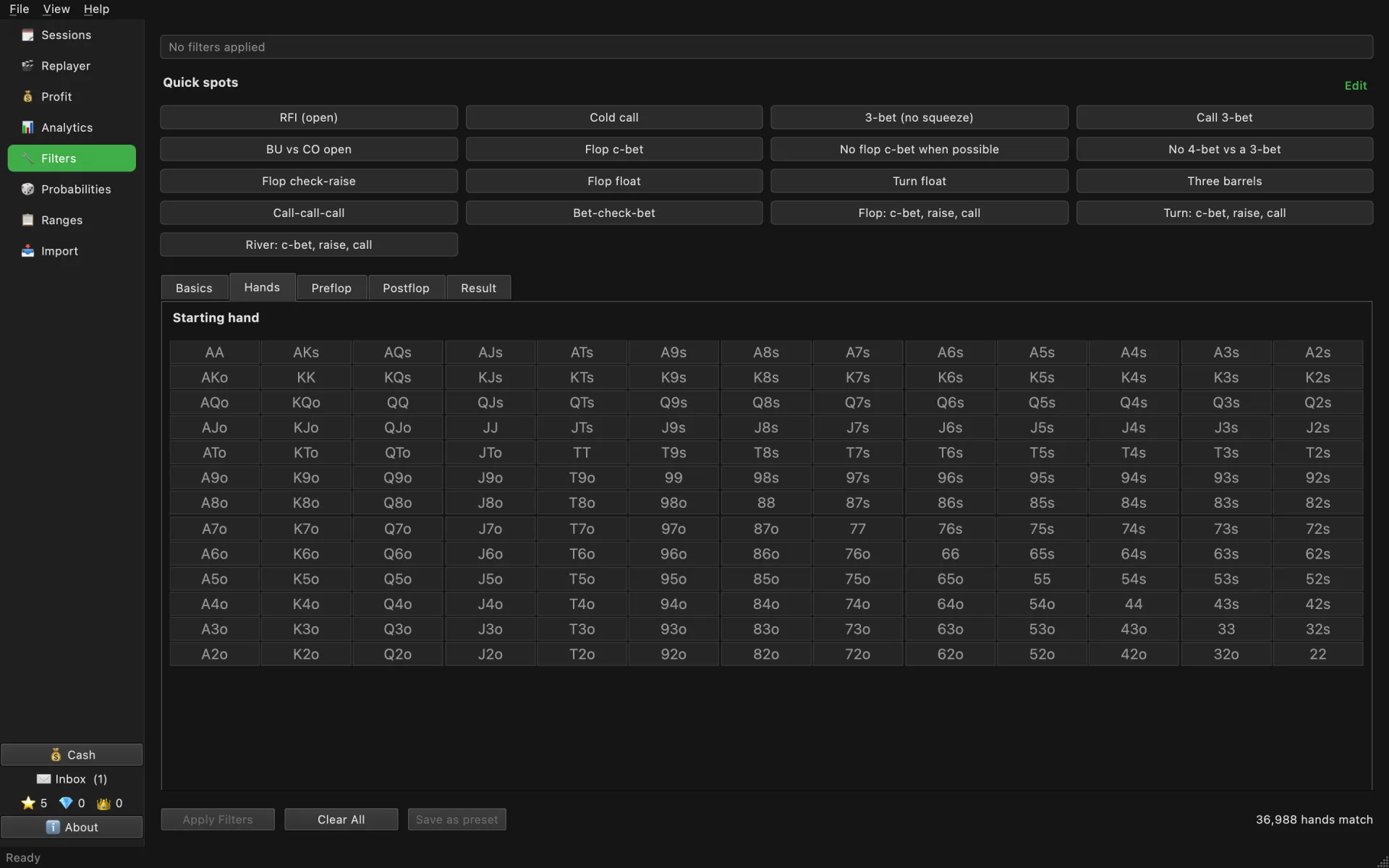
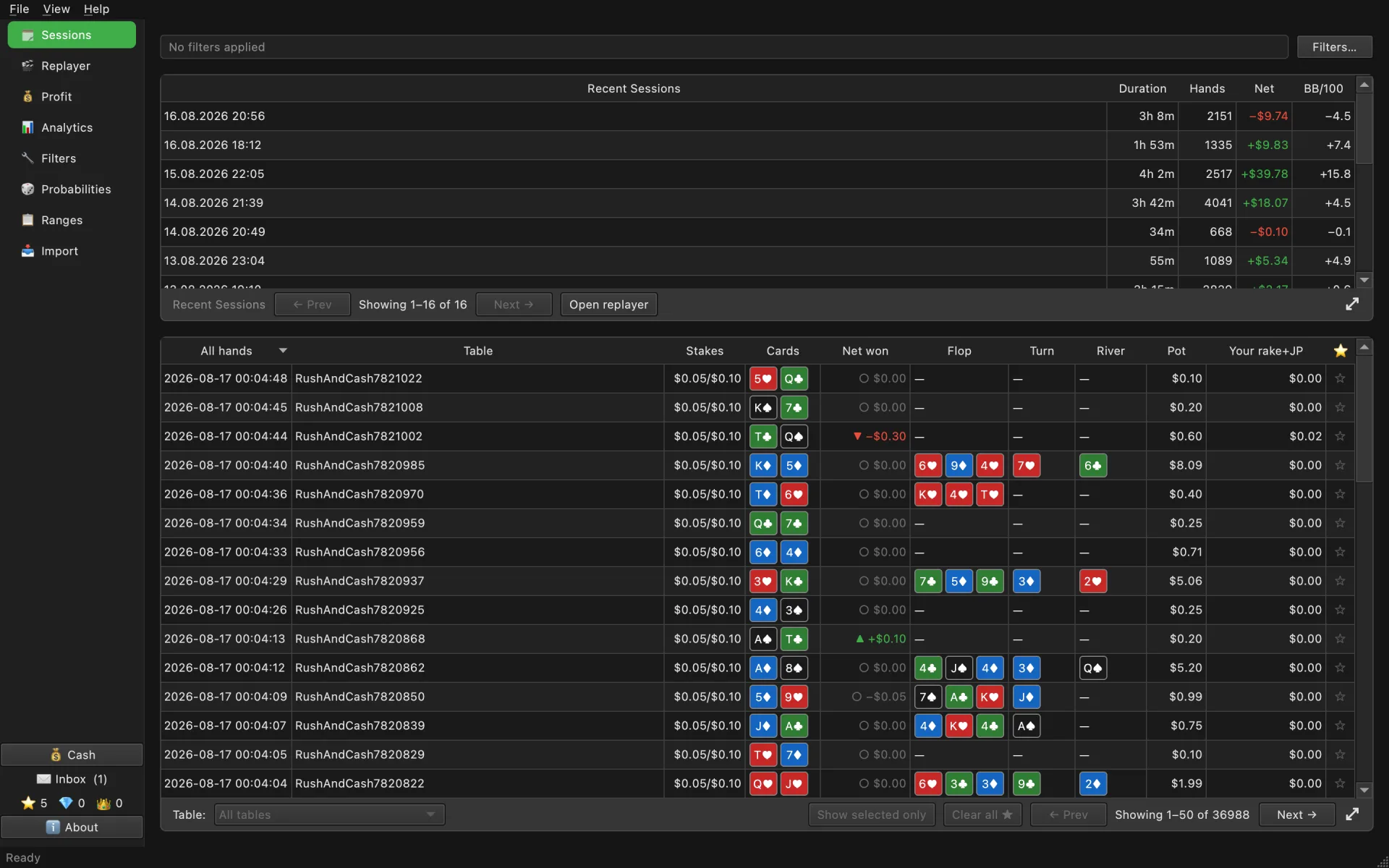
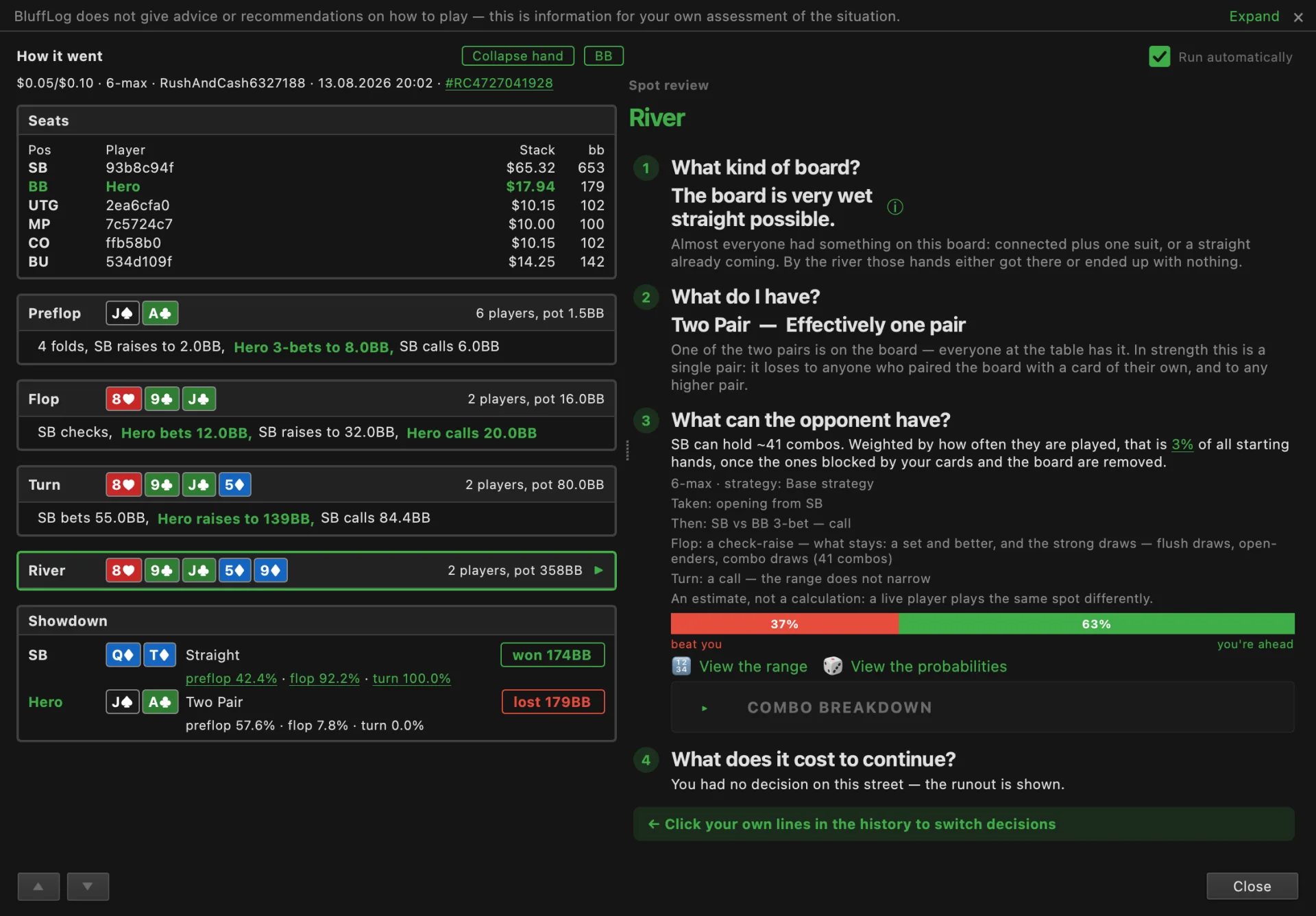
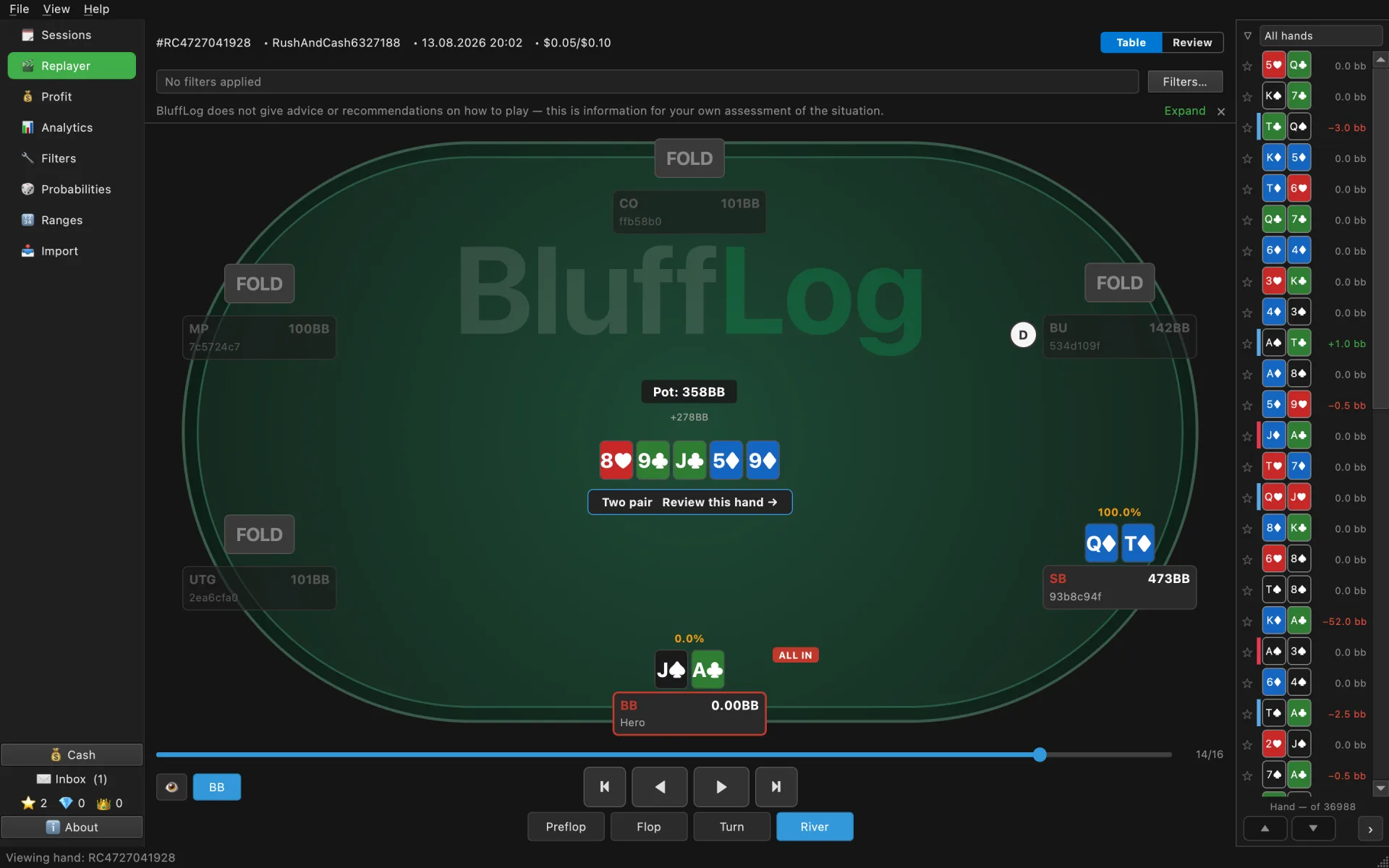
Open any hand and see how it went on the left and the lesson on the right: what the board texture allowed, what your hand was worth, what the odds were at the decision that mattered.
How the review window builds the opponent's range and counts outs: Hand review and ranges →
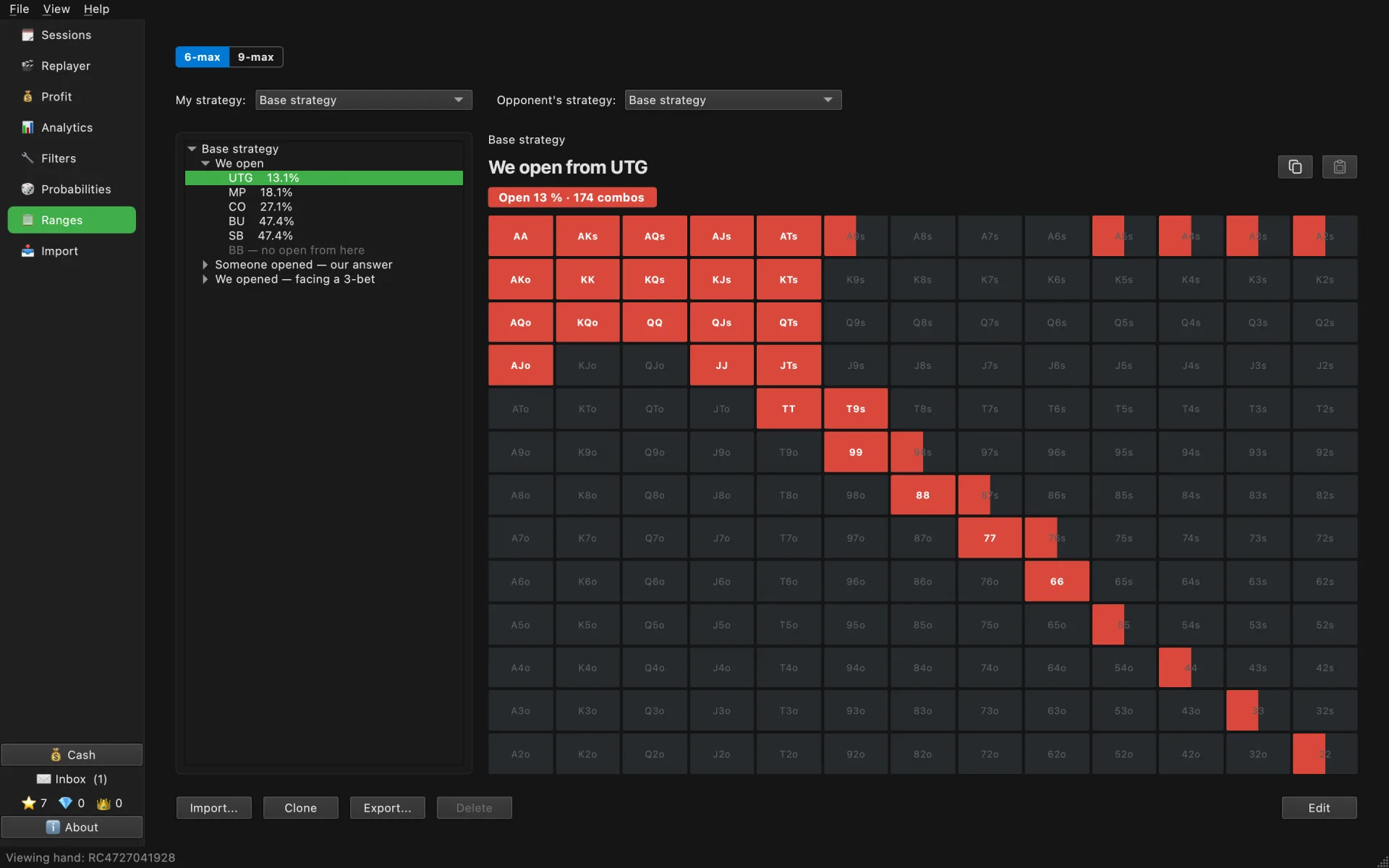
Preflop ranges for every position: what to open, how to answer an open, what to do facing a 3-bet, and tournament charts by stack depth. Copy a strategy, give any hand its own weight, and the hand review builds the opponent's range from the strategy you pick.
How the review uses the strategy you picked: Hand review and ranges →
Profit control is free forever. Deeper analysis and lessons are part of BluffLog Pro. Plans and comparison →
Paid trackers charge $29/mo, or $60–100 upfront. BluffLog — $0.
PokerCraft keeps hands for 90 days. BluffLog keeps them on your computer for as long as you want.
Rake per hand, so you see exactly how much you paid the room.
No HUD, no opponent database, nothing runs during play. Only your own exported hands, after the session.
BluffLog does not promote or encourage gambling and is not a tool for playing for money. It is built for responsible players who review their own hands to build their strategy deliberately. The app gives no advice or recommendations on how to play — only information for you to weigh yourself.
Our position →For post-session review of your own hands. GGPoker prohibits HUDs and real-time tools at the table; BluffLog never touches the client and reads only the files you export yourself. Check the room's current rules before you rely on any tool.
Yes. Profit tracking, sessions, graphs and the hand replayer are free forever, with no hand limit and no account. Pro adds deeper analysis and lessons.
Yes, by design. BluffLog has no HUD and never runs alongside the poker client; everything happens after the session from exported files.
Yes, native on macOS 13 and later (Apple Silicon), and on Windows 10 and later. Same features on both.
Nothing leaves your computer. Hands are parsed and stored in a local database. Only anonymous usage statistics are sent, and hand content is shared only through two features you switch on yourself.
Hold'em cash and tournaments in full. Omaha and Short Deck import with profit, sessions and results since 0.16.0; the analysis screens are Hold'em only for now.
Your data stays yours. By default BluffLog sends only anonymous usage statistics. Two exceptions exist, and you switch both on yourself: the import error report and the anonymous hand corpus.
Privacy policy →Ask questions, suggest features, share what you found in your database.
Download a sample hand history →